JOYLO VS BOLT
Joylo or Bolt.
Which AI app builder is right for you?
Pick Bolt for websites, side projects and ideas you can test on its free plan. Pick Joylo when the app is the business. Both move quickly with vibe coding until the AI gets stuck. Bolt then offers Discord on Free and weekday email on Pro and Teams. Joylo can bring in one of its own engineers. Agree what needs building, buy the hours it recommends, and Joylo guarantees that work goes live, covering any overrun. Conditions and exclusions apply.
THE SHORT ANSWER. FOUR DIFFERENCES THAT MATTER.
What's the difference between Joylo and Bolt?
- Stuck on a bug? A Joylo engineer joins your project.Choose "Engage an Expert" and a certified, in-house engineer starts work inside your app, with a first response within 24 hours. Help costs $500 for 10 hours. On Bolt, Free plan users get help on Discord, Pro and Teams get weekday email, and Enterprise adds an account manager. Bolt doesn't publish a service where an engineer works on your app.
- Your launch comes with a written promise.Once Joylo has assessed your project scope and you buy the engineering hours it recommends, the Production Guarantee applies. If its estimate falls short, Joylo carries the extra engineering costs. Conditions and exclusions apply. Bolt doesn't publish a launch guarantee, and you can't get your money back on its plans.
- Design systems give Bolt apps your company's look.On a paid Teams plan, you can add your own design system and use it across your team's projects. Every plan can also build with ready-made ones such as Chakra, Material UI and Shadcn. Joylo doesn't publish a design-system feature. You can paste a Figma link or use the Joylo plugin, and Joylo builds from the design.
- Security checks run before a Bolt app goes live.Turn on Bolt's automatic security review once, and it reviews every app before launch, with a one-click fix. Paid plans can also run a full security audit up to 30 times a day. On Joylo, every build can be checked with the AI Confidence Score, out of 100, across five areas, and it lists what to review.
TWO BUILDERS. TWO DIFFERENT JOBS.
What is each builder made for?
Small businesses and founders with an app people will pay to use are Joylo's best fit, because an engineer can step in when it breaks. Bolt fits people who want to try ideas, build websites and handle the fixes themselves.
Joylo
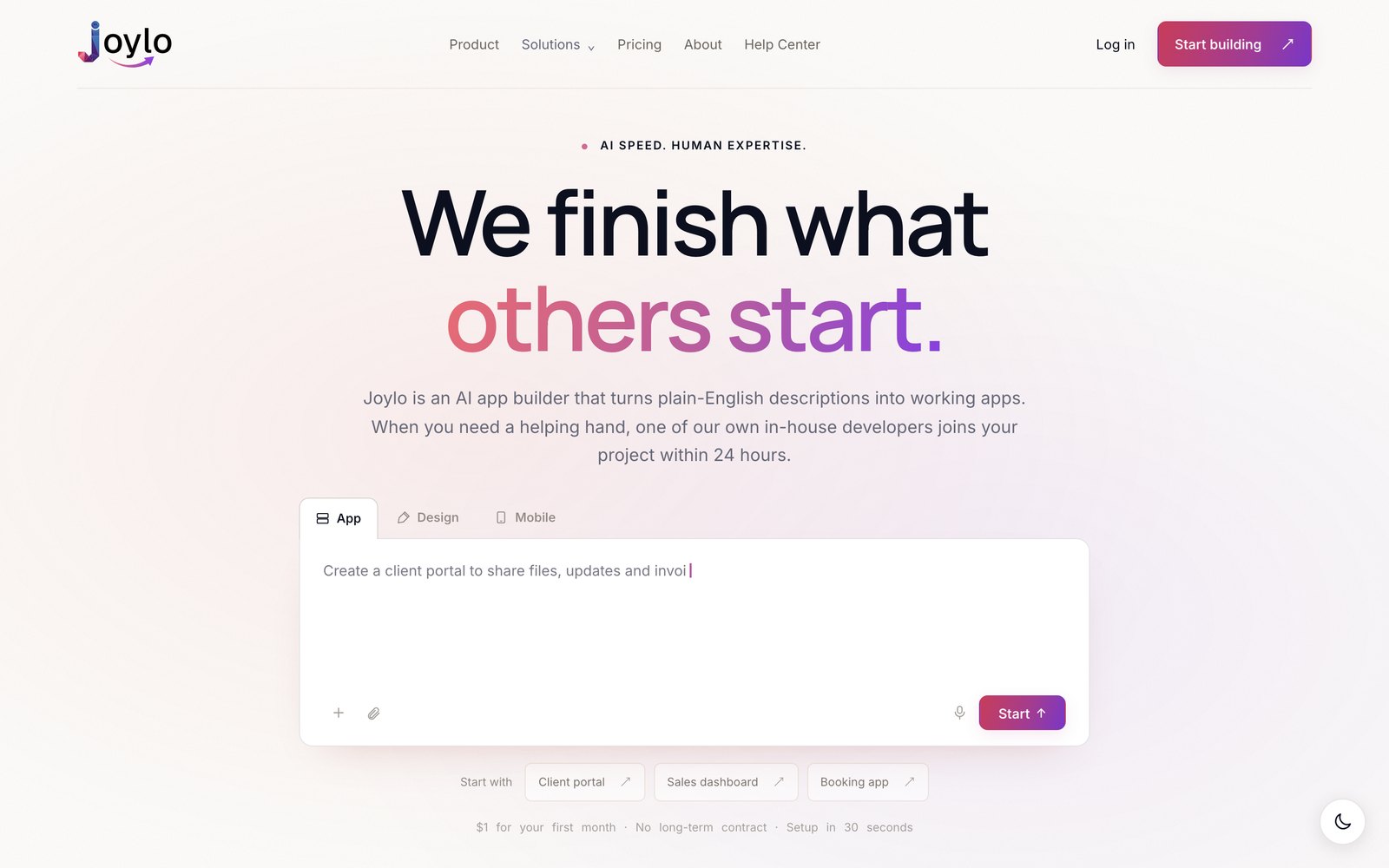
Joylo turns a plain-English description into a working web app with sign-in, a database and payments. Any developer can pick it up and work on the project in VS Code or Cursor. If your revenue app breaks at 2am and the AI gets stuck, a Joylo engineer takes over in your repo. Buy the hours Joylo recommends for an agreed scope, and launch is guaranteed in writing. Conditions and exclusions apply.
Bolt
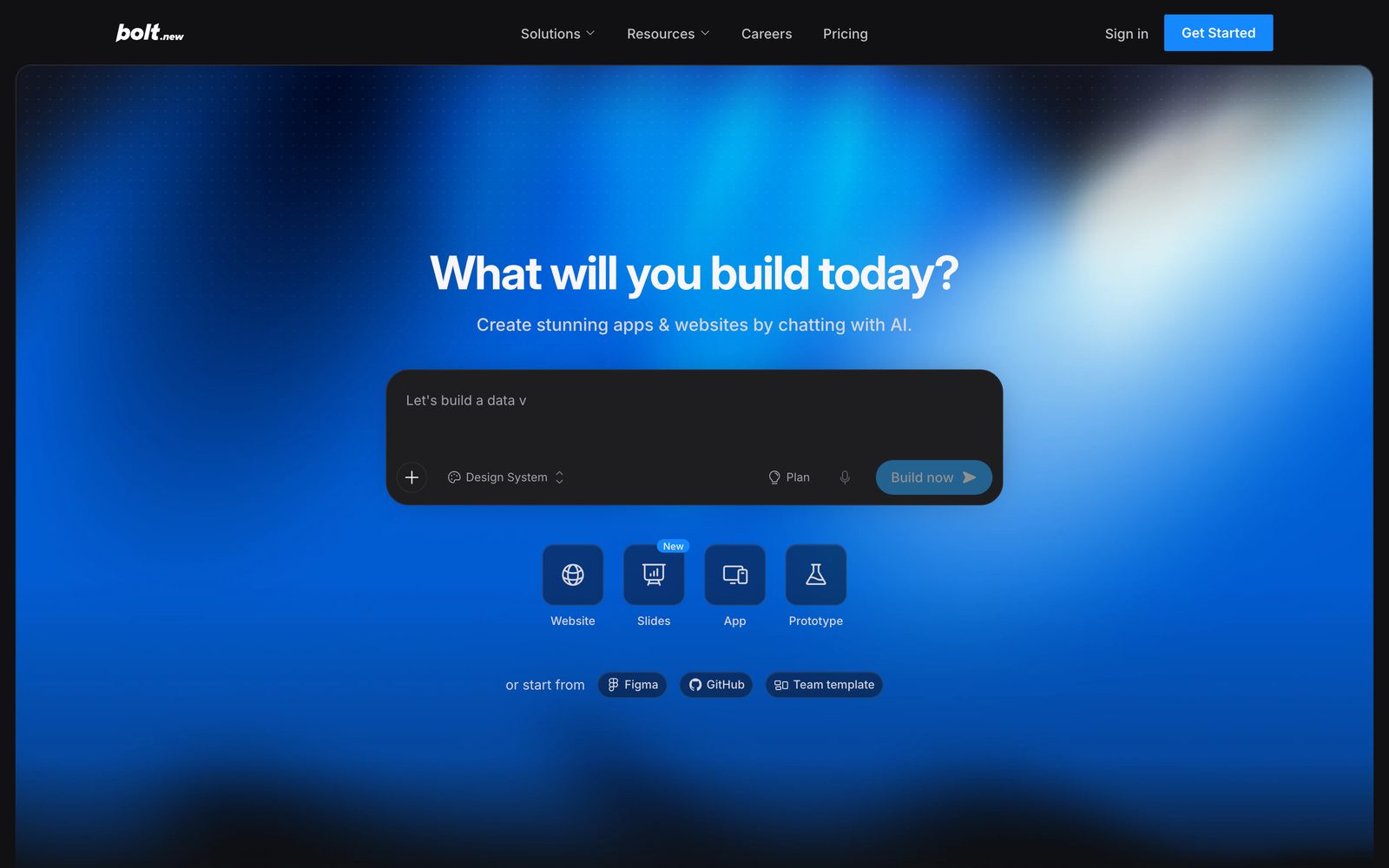
Bolt is an AI builder for websites, web apps and mobile apps, made by StackBlitz. Each project runs in your browser, with hosting, unlimited databases and a free bolt.host address. Phone apps go to the App Store and Google Play through Expo. Bolt also pitches itself to agencies that want to deliver more client projects without growing the team. If you're trying ideas, the standout is the Free plan's 1 million tokens a month, Bolt's measure of AI use.
How does Joylo pricing compare to Bolt?
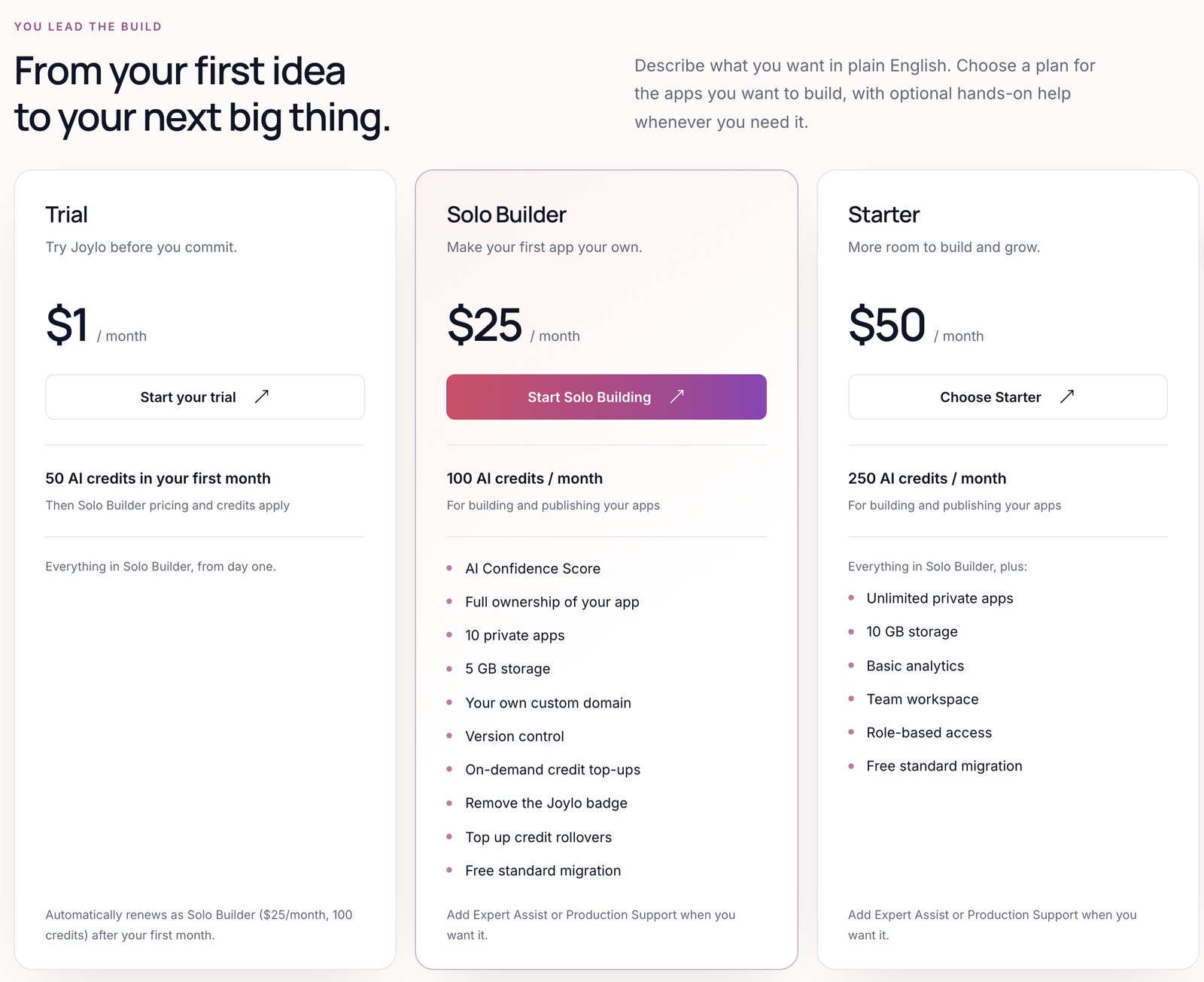
$25 a month gets you Pro on Bolt, billed monthly, or Solo Builder on Joylo. Below that, Bolt has a Free plan, and Joylo has a Free plan too, plus a $1 Trial for the first month. Higher up, your money buys different things. On Bolt's Teams plan you pay $30 a month for each member, billed monthly, and Enterprise is custom. Joylo's Starter is $50 a month for unlimited members, while Co-Build buys engineer time at $3,000 to $6,000 a month.
What does each Joylo plan include?
Ownership and the AI Confidence Score come with all Joylo plans, and GitHub export and free standard migration with every paid plan. If you build on your own, Free, the Trial or Solo Builder fits. Starter suits a team, because it opens a shared workspace for unlimited members. Co-Build is for handing the build to a named Joylo engineer. The table compares each plan's credits and storage.
| Free | Trial | Solo Builder | Starter | Co-Build 40 | Co-Build 80 | Co-Build 160 | |
|---|---|---|---|---|---|---|---|
| Monthly price | $0 | $1 first month, then $25 | $25 | $50 | $3,000 | $4,000 | $6,000 |
| AI credits | 30 first month, then 10 / month | 100 (first month) | 100 / month | 250 / month | 400 / month | 800 / month | 1,600 / month |
| Apps | 3 public | 10 private | 10 private | Unlimited private | Unlimited | Unlimited | Unlimited |
| Storage | 1 GB | 5 GB | 5 GB | 10 GB | As Starter | As Starter | As Starter |
| Custom domains | No | Yes | Yes | Yes | Yes | Yes | Yes |
| Team workspace | No | No | No | Yes | Yes | Yes | Yes |
| Team members | Just you | Just you | Just you | Unlimited, no seat fee | Unlimited, no seat fee | Unlimited, no seat fee | Unlimited, no seat fee |
| Roles and basic analytics | No | No | No | Yes | Yes | Yes | Yes |
| Engineering hours | Add-on | Add-on | Add-on | Add-on | 40 / month | 80 / month | 160 / month |
| Engineer response | 24 hours (Expert Assist) | 24 hours (Expert Assist) | 24 hours (Expert Assist) | 24 hours (Expert Assist) | 4 business hours | 4 business hours | 2 business hours |
| Production Support | Add-on | Add-on | Add-on | Add-on | Advanced included | Advanced included | Advanced included |
If you build on your own, start with Solo Builder at $25 a month. Move to Starter at $50 once other people need to work in the app with you. Co-Build is a different purchase, because a named engineer builds the app for you.
- Team members. Unlimited and free, with no per-seat charge, in a team workspace. A team workspace comes with Starter ($50 a month) and the Co-Build plans. Free, Trial and Solo Builder are single-user plans.
- Every plan includes app ownership and the AI Confidence Score. Every paid plan, from the $1 Trial up, adds export to GitHub, version control, credit top-ups, removing the Joylo badge and free standard migration.
- The Free plan has no expiry date. The $1 Trial gives you Solo Builder for your first month, then renews at $25. There is no annual billing. All plans are monthly.
- Co-Build 160 adds a dedicated developer, a part-time business analyst, executive reporting and custom integrations.
What do the engineer plans cost, and what do you get?
A Joylo engineer costs $500 for 10 hours on Expert Assist, which you can add to any plan. Your first response arrives within 24 hours, and the plans you run yourself can use up to 20 hours a month. For ongoing work, Co-Build runs $3,000, $4,000 or $6,000 a month. A named engineer then builds the app for you, 40, 80 or 160 hours a month. Bolt publishes no engineer service. The closest it sells is Enterprise, with hands-on help getting started, training and a dedicated account manager, so only Joylo appears below.
| Expert Assist | Co-Build 40 | Co-Build 80 | Co-Build 160 | |
|---|---|---|---|---|
| Price | $500 for 10 architect hours | $3,000 | $4,000 | $6,000 |
| Engineering hours | Hours are bought in blocks of 10. Self-serve plans can use up to 20 hours a month | 40 / month | 80 / month | 160 / month |
| How it works | Choose "Engage an Expert" inside your project. A Joylo engineer works in your project to fix an issue, finish a feature or help you launch | A named Joylo engineer builds the app for you. You meet 30 minutes, three times a week | ||
| First response | Within 24 hours | 4 business hours | 4 business hours | 2 business hours |
| AI credits included | Your plan's credits | 400 / month | 800 / month | 1,600 / month |
| Production Support | $299 or $999 a month | Advanced included | Advanced included | Advanced included |
| Extra engineering | $500 for 10 architect hours | Fixed $500 blocks | ||
| Also included | Chat with the engineer inside the project, follow tasks on a board and see the hours logged | No extras listed | No extras listed | A dedicated developer, a part-time business analyst, executive reporting and custom integrations |
| Written guarantee | Buy the engineering hours Joylo recommends for an agreed scope, and Joylo guarantees that scope goes live. Joylo pays for any overrun. Conditions and exclusions apply | |||
Work out how many hours your app needs before you pick. Expert Assist is capped at 20 hours a month on the self-serve plans. If you need more, Co-Build gives you 40, 80 or 160 hours a month, a faster first response and three 30-minute meetings a week.
What does each Bolt plan include?
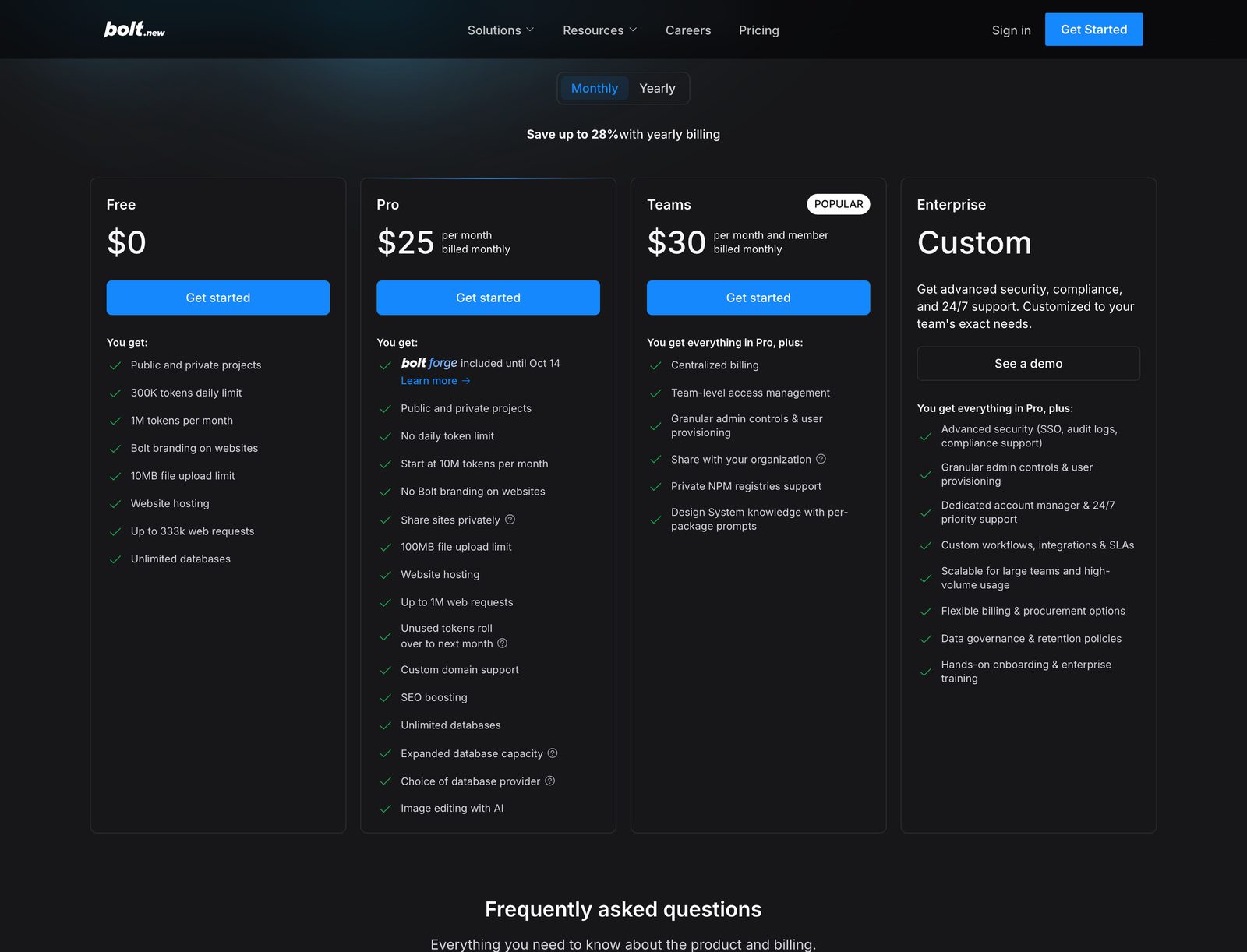
Hosting, unlimited databases and a free bolt.host web address come with every Bolt plan. Free gives you 1M tokens a month, with a daily limit of 300K. Pro costs $25 a month billed monthly, or $18 a month billed yearly, and starts at 10M tokens. On Teams, you pay $30 a month for each member billed monthly, or $27 billed yearly. Enterprise is custom. Each plan's limits are in the table below.
| Free | Pro | Teams | Enterprise | |
|---|---|---|---|---|
| Monthly price | $0 | $25 | $30 for each member | Custom |
| Yearly price | Not applicable | $18 a month, billed yearly | $27 a month for each member, billed yearly | Custom |
| AI tokens | 1M / month | From 10M / month. Unused tokens roll over one month | From 10M / month for each member. Tokens aren't shared | Custom |
| Daily token limit | 300K a day | None | None | None |
| Users and editors | Just you. Share a project with viewers and editors | Just you. Share a project with viewers and editors | Each member who builds with AI pays for a seat | Scalable for large teams |
| File upload limit | 10 MB | 100 MB | 100 MB | 100 MB |
| Databases | Unlimited | Unlimited, with more capacity and a choice of provider | As Pro | As Pro |
| Hosting traffic | Up to 333k web requests and 10 GB a month, hard cap | Up to 1M web requests and 30 GB a month, then pay as you go | As Pro | High-volume usage |
| Custom domains | No | Yes | Yes | Yes |
| Remove Bolt branding | No | Yes | Yes | Yes |
| Admin controls and user provisioning | No | No | Yes | Yes |
| Single sign-on, audit logs, compliance support | No | No | No | Yes |
| Human support | Discord community | Email, Monday to Friday, business hours | Email, Monday to Friday, business hours | A dedicated account manager and 24/7 priority support |
| Human engineer | Not available | Not available | Not available | Not available. Hands-on onboarding and training are included |
| Refund | Not applicable | Subscriptions are non-refundable. Cancel any time, and it takes effect at your next billing date | ||
Bolt's plans grow with tokens and team seats, so you pay for more AI use and more people. Joylo's higher plans add engineer hours. The difference tells you who each is for.
What do the add-ons and services cost?
On Joylo, most add-ons are engineer time. Expert Assist comes in blocks of 10 hours, Production Support starts at $299 a month, and standard migration is free. Bolt sells more tokens instead, through reloads on some Pro plans, plus pay-as-you-go hosting traffic on Pro. It doesn't publish a paid engineer or migration service. The rows below compare each one.
| Service | Joylo | Bolt |
|---|---|---|
| Expert Assist | $500 for 10 architect hours. First response within 24 hours. | Not available |
| Standard migration | Free on every paid plan, from the $1 Trial up. | Import a Lovable project through GitHub, or start from a GitHub project or a Figma design |
| Complex migration | $2,000 fixed price. You buy it, our engineers do the work. No charge if it doesn't work. | Not available |
| Production Support, Essential | $299 a month. 24/7 automated monitoring, next-business-day engineer response. | Not published. 24/7 priority support is an Enterprise feature |
| Production Support, Advanced | $999 a month. Adds security patching, monthly restore tests and 4-hour engineer response. | Not published |
| Extra live apps on Production Support | $199 per app per month, beyond 3 apps. | Not applicable |
| Extra Co-Build engineering | Fixed $500 blocks. | Not available |
| Enterprise | Custom pricing. | Custom, contact sales. Single sign-on, audit logs, a dedicated account manager and 24/7 priority support |
Most of Joylo's add-ons buy an engineer's time, while Bolt's extras are more tokens and more hosting traffic. If you want someone watching your app after launch, read the Production Support rows.
How do Joylo and Bolt compare at a glance?
When you need help, Joylo is ahead, because its own engineers can work in your app. Moving from Bolt is a free standard migration on paid plans, and buying the recommended hours for an agreed scope brings a written launch guarantee. Conditions and exclusions apply. Bolt is easier on your budget, with yearly billing and unused tokens that stay valid for two months. On Teams it also builds from your own design system. The 20 rows below set both side by side.
| Feature | Joylo | Bolt |
|---|---|---|
| Access to a human engineer | Yes. Joylo's own engineers, from inside your project | No. Email support on paid plans, Monday to Friday, and a dedicated account manager on Enterprise |
| Written guarantee | Production Guarantee: buy the hours Joylo recommends for an agreed scope and Joylo gets it live, paying any overrun. Conditions and exclusions apply | Not published. Subscriptions are non-refundable |
| Starting price | Free at $0, or $1 for the first month on the Trial. Paid plans from $25 a month. | Free at $0, or Pro at $25 a month, billed monthly |
| Paid plans | Solo Builder $25, Starter $50, Co-Build $3,000 / $4,000 / $6,000 a month | Pro $25, Teams $30 for each member a month, billed monthly |
| Free plan | Yes, $0, with 30 AI credits in the first month, then 10 a month, and 3 public apps | Yes, $0, with 1M tokens a month and up to 300K a day |
| Billing | Monthly, fixed price, no long-term contract, 30-day money-back on paid plans | Monthly or yearly (yearly saves up to 28%), cancel any time. Subscriptions are non-refundable |
| How usage is charged | AI credits for building, changing and publishing. Hosting for live apps is covered by your monthly renewal. No separate hosting bill. | Tokens for building, with no daily limit on paid plans. Unused tokens roll over one month. Hosting included, with pay-as-you-go traffic on Pro |
| Builds | Full-stack web apps; design-only screens; mobile apps built with Expo, published to the App Store and Google Play | Websites, web apps and slide decks. Mobile apps built with Expo, published to the App Store and Google Play |
| Built in | Sign-in, Postgres database, Stripe payments, file storage, AI key for your app | User login, Bolt Database (unlimited), Stripe payments, file storage, server functions that can call AI services |
| Hosting and domains | No separate hosting bill. Published apps always on and a custom domain on all paid plans. Free-plan apps sleep when idle | Bolt hosting included, or publish to Netlify. Custom domains on paid plans |
| Team members | Unlimited, no seat fee, on Starter and Co-Build | $30 a month for each member on Teams, billed monthly. Tokens aren't shared |
| Code ownership | You own the full app on every plan | Yes. Bolt says you own the code it generates |
| Code export | Export to your own GitHub on every paid plan, from the $1 Trial up, with two-way sync | Sync to GitHub, or download the project as a ZIP file and run it on your own computer |
| Tech stack | React, Node, Postgres. No proprietary runtime. | Standard web projects with JavaScript backends only. Bolt Database runs on Supabase |
| Who the engineers are | HST Solutions, Dublin, since 2007. HST is certified to ISO 27001 and ISO 22301. | Not applicable. Bolt is made by StackBlitz |
| Engineer price | $500 for 10 hours (Expert Assist), or 40–160 hours a month on Co-Build | Not applicable |
| Engineer response | Within 24 hours (Expert Assist); 4 or 2 business hours (Co-Build) | Not applicable. 24/7 priority support on Enterprise |
| Engineer hours | 9am to 5pm GMT, Monday to Friday | Email support Monday to Friday, during business hours |
| Migration in | Free standard migration on paid plans; $2,000 fixed price for complex moves, done by our engineers | Import from Lovable through GitHub, from a GitHub project, or from a Figma or Google Stitch design |
| App check | AI Confidence Score on every plan | Security audit on paid plans, up to 30 a day, and a database security check on every plan |
Want help when something breaks? Read the engineer lines first. If you want to keep building for free month after month, look at the free plan line, because that's where Bolt wins.
STUCK? BRING IN AN ENGINEER.
What happens when your app gets stuck?
An app your revenue depends on cannot run on a prompt box alone. APIs change. Payment gateways break at 2am. Every fix the AI makes can add new bugs. That is the moment most builders leave you to find a freelancer. Joylo's answer is a certified in-house engineer, inside your project within 24 hours, backed by a written Production Guarantee: buy the hours Joylo recommends for an agreed scope, and Joylo takes responsibility for getting it live. If the estimate runs over, Joylo pays the difference. Conditions and exclusions apply. To start, choose "Engage an Expert" inside your project.
- Launch is guaranteed, in writing.Buy the engineering hours Joylo recommends for an agreed scope, and Joylo guarantees that scope goes live. Joylo pays for any overrun. Conditions and exclusions apply.
- Who they are.Joylo's engineers are its own in-house team, not freelancers. Joylo's engineers come from a team that builds software for regulated businesses, such as fund groups, banks and insurers.
- You stay in control.Engineers see your code only after you approve access. Nothing merges without your approval. Chat with the engineer inside the project, follow tasks on a board and see the hours logged.
- What it costs.$500 for 10 architect hours. Hours are bought in blocks of 10. Self-serve plans can use up to 20 hours a month.
- Rather not build it yourself?A named Joylo engineer builds the app for you: 40, 80 or 160 hours a month. You meet 30 minutes, three times a week.
CODE YOU OWN. TAKE IT ANYWHERE.
Who owns the code you build?
You own the full application on every Joylo plan, and you can export the code to your own GitHub, including on the $1 Trial. Bolt projects can leave with you too. Each one is a standard web project with no platform-specific runtime. You can sync it to GitHub, download it as a ZIP file and put it live wherever you choose.
Joylo
- Ownership. You own the full application on every plan. No lock-in.
- The code. React front end, Node API and a Postgres database. No proprietary runtime or client SDK. Any developer can pick it up.
- Hosting. It runs on AWS, Azure, GCP or your own servers.
- Export. On paid plans, from the $1 Trial up, push the project to a new or existing GitHub repository, private or public. After export, changes sync both ways, with help resolving conflicts.
- Moving in. Import from Lovable, Replit, Bolt or your own GitHub repository. Standard migration is free on paid plans. Complex migration: $2,000 fixed price. You buy it, our engineers do the work. No charge if it doesn't work.
Bolt
- Ownership. Bolt says you own the code it generates.
- The code. A standard web project with no platform-specific runtime, built with JavaScript. Edit the files and use a terminal in your browser, or run the project on your own computer.
- Hosting. Publish on Bolt hosting or Netlify, or put it live wherever you choose.
- Export. Sync your project to GitHub, where Bolt saves each change and pulls in edits made outside Bolt. Merging branches happens on GitHub. You can also download the project as a ZIP file.
- Moving in. Import a Lovable project through GitHub, import any GitHub project, or start from a Figma or Google Stitch design.
How do Joylo and Bolt compare feature by feature?
Building by chat, a plan mode, a database, sign-in, Stripe payments and app store publishing through Expo are on both. Joylo adds its own engineers, a Production Guarantee for an agreed scope (conditions and exclusions apply), and unlimited members on Starter with no seat fee. Pick Bolt and you also get Bolt Slides, built-in connections to tools like Notion and Linear, and your own design system on Teams. Every feature is below, grouped by task.
| Feature | What Joylo does | Bolt |
|---|---|---|
| Build with AI | ||
| Describe it in plain English | Type or speak what you want. You can attach images or files as a reference. | Yes, by chat. Upload files or images as context |
| Plan first, or build straight away | In Plan mode Joylo shows its plan and waits for your approval. In Build mode it goes ahead. | Yes, Plan Mode lets you plan and ask questions without changing your code |
| Three kinds of project | App: a full working web app. Design: screens only, which can be turned into an app later. Mobile: a phone app. | Websites, apps, slide decks and prototypes. Mobile apps through Expo |
| Choice of AI model | Pick which AI model does the work. | Standard and Max agents. Max is on paid plans only |
| Power mode | The AI reviews its own code, runs visual tests and fixes what it finds. | Bolt runs and tests each change in the browser before you see it |
| Built-in backend | ||
| Database | Each app gets its own Postgres database, set up automatically. | Bolt Database, unlimited on every plan, runs on Supabase. Your own Supabase on Pro and Teams |
| Sign-in | Joylo Sign-in adds Google and GitHub login to your app without you setting up a login provider. | User login built in, with Google sign-in for your app's users |
| Payments | Connect your own Stripe account to a project. Joylo then builds the payment flows. | Stripe for payments and subscriptions |
| Storage | Space for your apps' files: 1 GB on Free, 5 GB on Trial and Solo Builder, 10 GB on Starter. | File storage with public or private folders. Size limits not published |
| AI inside your app | A Universal AI Key lets the apps you build call AI models without your own AI provider account. | Server functions can call AI services such as OpenAI |
| Your own keys | Add your own API keys and settings to a project. | Yes, secrets in the database settings |
| Preview and mobile | ||
| Live preview | See the app running in your browser as it is built. | Yes, the app runs in your browser as it is built |
| Mobile app preview | Mobile projects are built with Expo. Scan a QR code with the Expo Go app to open the app on your phone. | Scan a QR code with the Expo Go app |
| Publish to the App Store or Google Play | Mobile apps are published to the App Store and Google Play through Expo. | Yes, through Expo |
| Sleep when idle | While you are building, an unused preview goes to sleep. Published apps on paid plans stay on. Free-plan apps sleep when idle. | Databases on unpublished projects may pause after 6 days of low use. Published ones don't |
| Editing | ||
| Change it by chat | Ask for changes in plain English, one message at a time. | Yes |
| Visual editor | Click an element in the preview and edit it in a side panel. | Yes, the Select tool. Visual edits are free until you save them |
| Code editor and terminal | Browse and edit the files, and use a terminal, in the browser. | Yes, Code view and a terminal in the browser. Editing code by hand doesn't use tokens |
| Use your own editor | Connect VS Code or Cursor to the project over SSH. | Yes, through GitHub. Bolt pulls in edits made outside Bolt every 30 seconds, or download the code and open it in VS Code |
| Figma import | Paste a Figma link, or use the Joylo plugin, and Joylo builds from the design. | Yes, paste a Figma frame link. Google Stitch designs too |
| App check (AI Confidence Score) | Scores the app out of 100 across security, reliability, integrations, scalability and code quality, and lists what to review. | Security audit on paid plans, up to 30 a day, and a database security check on every plan |
| SEO and AI search check | Reviews your pages for search and AI-search issues, then fixes them with AI. | SEO boosting is listed on Pro and up. What it checks is not published |
| Publish and hosting | ||
| Publish to a live web address | Publish in a few clicks to a Joylo web address. | Yes, on a free bolt.host address |
| Custom domain | On paid plans, point your own domain at a published app. You buy the domain from a registrar. | Paid plans. Buy a domain inside Bolt or connect your own |
| Hosting included | Hosting is included in your plan, not a separate bill. Publishing uses credits upfront, from about 58 credits, and your monthly renewal covers hosting for apps already live. Published apps on paid plans are always on. | Included. Free: 10 GB and 333,333 requests a month, hard cap. Pro: 30 GB and 1 million requests, then pay as you go. Or publish to Netlify |
| Live apps stay live | Hosting for a live app is covered by your monthly renewal. If you run out of credits mid-month, new builds pause until your reset or an optional top-up, but live apps keep running. | On Free, a site over its monthly traffic cap goes offline until usage resets. On Pro, pay as you go keeps it online up to a spending cap you set |
| Remove the Joylo badge | Hide the Joylo badge on your app, on paid plans. | Remove Bolt branding on Pro and up |
| Team workspace | ||
| Team workspace | A shared space for projects, members, billing and credits. Starter and Co-Build | Teams plan, $30 a month for each member, billed monthly |
| Unlimited members, no seat fee | Invite people by email. There is no member limit and no per-seat charge. Starter and Co-Build | No. Each member who builds with AI needs a paid seat, and tokens aren't shared |
| Roles | Owner, Admin, Editor or Viewer for each member. Starter and Co-Build | Admin and Member roles on Teams. Viewer and Editor on a shared project |
| Require two-step login | The workspace owner can require two-factor authentication for every member. Starter and Co-Build | Not published |
| Share a project | Share a link to a project or its preview. | Yes, invite collaborators. Public projects can be edited together live |
| Code ownership and export | ||
| You own the app | You own the full application on every plan. | Yes. Bolt says you own the code it generates |
| Standard stack | React front end, Node API and a Postgres database. No proprietary runtime or client SDK. | A standard web project with no platform-specific runtime. JavaScript backends only, with Bolt Database on Supabase |
| Export to GitHub | On paid plans, push the project to a new or existing GitHub repository, private or public. | Yes, GitHub sync, plus a ZIP download |
| Two-way GitHub sync | After export, changes sync both ways, with help resolving conflicts. | Bolt saves changes to GitHub and pulls in outside edits every 30 seconds. Merging happens on GitHub |
| Bring an app from elsewhere | Import from Lovable, Replit, Bolt or your own GitHub repository. Standard migration is free on paid plans. | Import from Lovable through GitHub, or any GitHub project |
| Integrations (connectors) | ||
| Connectors | Stripe (payments), Joylo Sign-in (login), Universal AI Key (AI in your app), GitHub, Figma, Gmail, Outlook, Microsoft Teams, email by SMTP. | Stripe, Supabase, Netlify, GitHub, Figma, Google Stitch, Expo and Google sign-in, plus MCP connections to tools like Notion and Linear |
| Human engineers | ||
| Expert Assist | Choose "Engage an Expert" inside your project. A Joylo engineer works in your project to fix an issue, finish a feature or help you launch. Add-on on any plan | Not available |
| Fixed price | $500 for 10 architect hours. Hours are bought in blocks of 10. Self-serve plans can use up to 20 hours a month. | Not available |
| Response time and hours | First response within 24 hours. Engineers work 9am to 5pm GMT, Monday to Friday. | Email support on paid plans, Monday to Friday during business hours. 24/7 priority support on Enterprise |
| Work you can see | Chat with the engineer inside the project, follow tasks on a board and see the hours logged. | Not applicable |
| Approval before access | Engineers see your code only after you approve access. Nothing merges without your approval. Published policy | Not applicable |
| Co-Build | A named Joylo engineer builds the app for you: 40, 80 or 160 hours a month. You meet 30 minutes, three times a week. | Not available |
| Production Support | 24/7 automated monitoring, with engineers acting during business hours. $299 or $999 a month. Add-on | Not published. 24/7 priority support is an Enterprise feature |
| Production Guarantee | Buy the engineering hours Joylo recommends for an agreed scope, and Joylo guarantees that scope goes live. Joylo pays for any overrun. Conditions and exclusions apply. Written terms | Not available |
| Billing and credits | ||
| Fixed monthly price | Each plan has a fixed monthly price. Billing is monthly only. No long-term contract. | Monthly or yearly, and yearly saves up to 28% |
| AI credits | Credits pay for building, changing and publishing. The monthly allowance resets each month. Unused monthly credits do not roll over. | Tokens. Unused tokens on paid plans roll over and stay valid for two months |
| Top-ups | Buy more credits at any time on a paid plan. | Token reloads on the top monthly Pro tier or any yearly Pro plan. Reloads don't expire |
| Free plan and Trial | Free plan at $0, with 30 AI credits in the first month and 10 a month after that. Or the Trial: $1 for the first month with 100 credits, then it renews as Solo Builder at $25 a month. | No priced trial. The Free plan costs nothing and comes with 1M tokens a month |
| Promo codes | Enter a promo code at checkout. | Yes, enter a promo code when you subscribe or upgrade. Friends you refer get a 20% discount |
| Money-back guarantee | Paid plans include a 30-day money-back guarantee. | No. Subscriptions are non-refundable |
| Security | ||
| Two-factor login | Add an authenticator app to your Joylo account. | Not published |
| Sign in with Google, GitHub or Microsoft | Use an existing account to log in to Joylo. | Google, GitHub or email sign-in. Single sign-on with Okta, Azure AD or SAML on Enterprise |
| Role-based access | Roles control what each team member can do. Starter and Co-Build | Admin controls and roles on Teams |
| GDPR | GDPR-ready. A data processing agreement is available on request. EU-only hosting is available on request. | GDPR and CCPA compliant |
| Certifications | GDPR-ready. Engineering by HST Solutions, which holds ISO 27001 and ISO 22301. | SOC 2 Type 2 (Bolt's stated claim) |
| What Bolt offers that Joylo doesn't | ||
| Build from your own design system | Not published | Yes, on Teams. Bolt builds from your company's own components |
| Connect your own AI agent (MCP) | Not published | Yes, with built-in connections for Notion, Linear and GitHub |
| Audit logs | Not published | Enterprise |
| Slide decks | Not published | Yes, Bolt Slides on every plan |
| Annual billing | All plans are monthly | Yes, and it saves up to 28% |
Where Bolt comes out ahead is tokens that roll over, your own design system and the security paperwork big companies ask for. Joylo wins on the human engineer rows. You're choosing between a free place to try ideas and an engineer you can reach when your app breaks.
Which one is
right for you?
Choose Bolt to explore ideas and look after them yourself, or Joylo when paying customers will rely on your app. The gap shows once something breaks. Bolt offers weekday email on paid plans and its Discord community, while Joylo can put one of its own engineers on your app. Buy the engineering hours Joylo recommends for an agreed scope, and Joylo guarantees that scope goes live. Conditions and exclusions apply.
Joylo
Choose Joylo if
- Your revenue will depend on this app. APIs change and payment gateways break. When the prompt box starts adding bugs instead of fixing them, a certified Joylo engineer steps into your repo within 24 hours. No freelancer marketplace, no agency quote.
- You want someone accountable for launch, in writing. Buy the hours Joylo recommends for an agreed scope and Joylo guarantees that scope goes live. If the estimate runs over, Joylo pays the difference. Conditions and exclusions apply.
- You are a non-technical founder who wants a real app with logins, data and payments, not a prototype.
- You want to own your code: a standard React, Node and Postgres app you can export to your GitHub and host anywhere.
- You are stuck on another builder and want the app moved across and finished.
- You would rather not build it yourself and want a named engineer doing the work (Co-Build).
Not the best fit for
- Round-the-clock human support. Engineers work UK business hours. Out of hours there is automated monitoring only, unless you agree an Enterprise arrangement.
- Long-term hobby use. Paid plans start at $25 a month.
- A team on the $25 plan. Team workspaces start at Starter, $50 a month.
- Annual billing. All plans are monthly.
- Building mainly by drag and drop. Joylo is chat-first. The visual editor is for small changes.
Start with the page written for you:First-time foundersFixing a half-finished appSmall teams
Bolt
Bolt is right for you if:
- You want to try ideas without paying. Bolt's Free plan gives you 1 million tokens a month, up to 300,000 a day, with hosting and as many databases as you like.
- Your company already has its own design system. On Teams, Bolt builds new screens from your company's own components, so a prototype looks like your product from the first prompt.
- Your security team asks for a SOC 2 report. Bolt is SOC 2 Type 2 certified, and Enterprise gives you single sign-on and audit logs.
Bolt is not for you if:
- You want an engineer to step in when your app gets stuck. Bolt offers email support on paid plans, Monday to Friday, and a Discord community for everyone.
- You want your whole team in for one price. Bolt's Teams plan costs $30 a month for each member, billed monthly, and tokens aren't shared. On Joylo, team workspaces start at Starter, $50 a month.
- You want your money back if it doesn't work out. Bolt subscriptions are non-refundable, though you can cancel any time.
Each builder suits a different job. Pick the one whose list sounds most like you.
Fair questions.
Straight answers.
The practical details before you choose.
What are Bolt's plans and prices?
Pro, at $25 a month billed monthly, is the entry paid plan on Bolt's pricing page. It drops to $18 a month billed yearly and starts at 10M tokens a month. On Teams, you pay $27 a month for each member billed yearly, or $30 billed monthly. Enterprise is custom, and the Free plan gives you 1M tokens a month. Joylo's Solo Builder is also $25 a month, and Joylo bills monthly only.
What results does Bolt promise?
Fewer errors and bigger projects. Bolt claims "98% less errors" and says it handles projects 1,000 times larger than before. Its homepage also names Google, Microsoft and Shopify among the companies that trust it. Even so, an AI builder can still get stuck. When that happens on Pro or Teams, you get email support on weekdays. On Joylo, you can bring one of its own engineers into your project.
Who gets the most out of Bolt?
Anyone trying out ideas, building websites or delivering client work gets the most from Bolt. Its Free plan gives 1M tokens a month, and Bolt pitches itself to agencies that want more client projects without a bigger team. On Teams, you can also build from your own design system. If customers will pay to use your app and you want an engineer to call, Joylo is the closer fit.
Can Bolt connect to Notion or Linear?
Yes. Bolt has built-in MCP connectors (a way to give Bolt context from your other tools) for Notion, Linear and GitHub. You can add other servers of your own too. Joylo doesn't publish connectors of this kind. Its nine built-in connections include GitHub, Stripe, Gmail and Figma, and you can add your own API keys to a project.
Will anyone at Bolt fix my app's code for me?
No. Bolt doesn't publish any service where a person works on your code. Paid plans get weekday email support, free users can ask in Discord, and Enterprise comes with a dedicated account manager. On Joylo, choose "Engage an Expert" and you get a first response within 24 hours. A Joylo engineer works in your project to audit risky code, close security gaps and handle emergencies. Engineer time is sold in blocks of 10 hours, at $500 a block.
What do I have to do to get Joylo's Production Guarantee?
Agree a scope with Joylo and buy the engineering hours it recommends. Joylo's Production Guarantee is a written promise that applies once Joylo has assessed your project and you've bought those hours. Joylo then takes on getting that scope live. Should the estimate fall short, the extra engineering costs land with Joylo. Conditions and exclusions apply. On Bolt, there's no published launch guarantee, and subscriptions are non-refundable.
What's the easiest way to switch from Bolt to Joylo?
Bring it over through GitHub. In Bolt, sync your project to your GitHub account, then import it into Joylo. Bolt is one of three builders, with Lovable and Replit, that get free standard migration on every paid Joylo plan. We review the project first so you know what is involved. A complex migration costs a fixed $2,000, done by our engineers, with no charge if it doesn't work.
If I leave Bolt, does my code come with me?
It does. Bolt projects are standard web projects with no platform-specific runtime, so you can sync one to GitHub and put it live wherever you choose. You can also download the whole project as a ZIP file. On Joylo, you own the full application on every plan and, on paid plans, can export it to your own GitHub. After export, changes sync both ways, with help resolving conflicts.
Start building.
With a guarantee it goes live.
Describe your app and see what you can build. Guarantee conditions and exclusions apply.
Prices in USD, excluding VAT. Engineers work 9am to 5pm GMT, Monday to Friday. Prices can change, so check each pricing page before you buy.